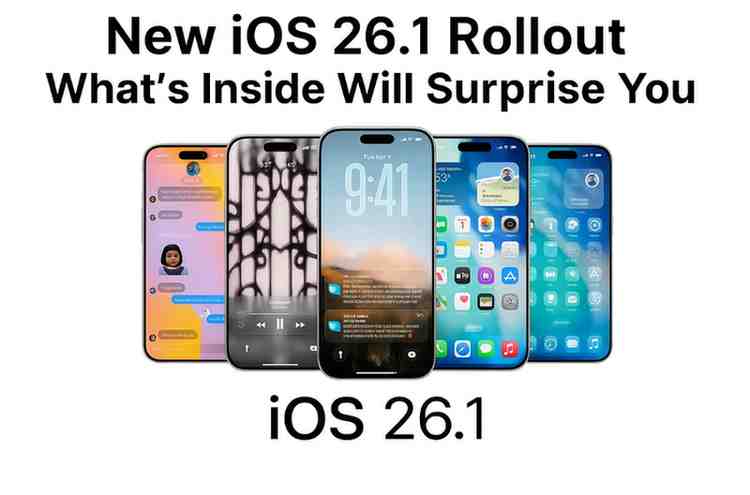
New iOS 26.1 Rollout: What’s Inside Will Surprise You
Apple has officially released iOS 26.1, the very first big update to the iOS 26 series that has been available since September 2025. This sizeable upgrade, which arrived on Nov 3, 2025, not only addresses the issues that have been the source of user complaints for a long time but also warmly welcomes the new functionalities that facilitate and humanize the daily iPhone usage situations.
If you are still holding on to iOS 26, then the arrival of iOS 26.1 is something you should not miss, as it represents a thorough fine-tuning that changes the user experience in various ways that are at once both gentle and significant.
The Liquid Glass Revolution: At Least Apple Listens
The major point of the discussion in iOS 26.1 is a feature that refutes the most vehement criticisms of iOS 26, namely, the argument with regard to the Liquid Glass design language. When iOS 26 was first presented, Apple’s see-through interface was the center of attention, but quite a few users complained that its over-transparency made it hard to read. iOS 26.1 resolves this trouble with a chic new solution: a fresh switch that lets the user choose between Clear and Tinted modes.
Table of Contents
With the Clear mode, the appearance is still partially see-through since it is the same type of transparency that is preserved; thus, the look is kept consistent, and those who like it are not deprived of their choice. Although the tinted mode admits only some transparency and contrast, it is thus much more comfortable for those who can now easily read the adjusted or new buttons, menus, and notifications even if it is very sunny or if they have a vision-related problem.
The tab for this switch showing “Settings > Display and Brightness > Liquid Glass” means the personalization is close at hand and can be quickly accessed. The difference is mostly felt on the Lock Screen, where notifications and interface elements can take a huge step forward in clarity with their contrast being improved to a great extent.
Wishful Thinking Ends: Accidental Camera Launches Will Not Be Possible Anymore
Finally, iOS 26.1 is home to one of the most requested features that has been a long time in coming: turning off the camera gesture on the Lock Screen. For several years, users have been ranting about how the camera app gets started unintentionally on their iPhones while they are in their pockets or bags. iOS 26.1 is the culprit no more.
Go to Settings > Camera, and there will be an option for “Lock Screen Swipe to Open Camera” that you have not seen before. If you swipe this off, it will completely abolish the left-hand gesture normally used to open the camera from the lock screen. This unassuming innovation solves the problem of many people taking photos in their pockets and thus saves the battery from getting drained unnecessarily.
The very moment the feature is turned off, users who want quick camera access will find that the toggle is still by default on, thus enabling backward compatibility and at the same time allowing those who want to turn it off to have the privilege.
Alarm Control Refined: Swipe to Stop
With iOS 26.1, a modest yet very significant change concerning the management of alarms has been introduced. Up until now, a user could only press on the screen to choose the snooze or stop buttons, and thus, because it was that simple, there was confusion and also occasions on which the stopping of the alarm was done unintentionally. The newly introduced “Slide to Stop” functionality changes the shutting off of the alarm to a swipe action while at the same time leaving snooze as a tap one.
This stumbling block is deliberately placed; it is the very slide action that makes sure you are really up before stopping the alarm, thus lessening the possibility of those who intended to snooze but mistakenly ended up turning alarms off. If there are users who would rather have this mode work as previously, i.e., iOS 26.1 provides an accessibility feature whereby certain users can, at their own discretion, use single-touch actions only, thus being able to support different user groups with their various preferences, for instance.
Apple Music Gets Smarter Navigation
The new swipe gesture in Apple Music’s MiniPlayer is a great feature that music lovers will be happy with. When the music player is visible at the bottom of your screen, you can now swipe left or right to move to the next or previous tracks, thus saving the time of tapping the forward or backward buttons.
The smart gesture very much fits the way people usually use the playback process, and it is great that it is there without having to interrupt the session when multitasking. The iOS 26.1 version evidences that Apple is still very much into creating seamless listening experiences, as it also includes extended Apple Music AutoMix support over AirPlay.
Global Expansion: Apple Intelligence and Live Translation Reach New Markets
The iOS 26.1 update marks a significant milestone in the evolution of the Apple intelligence and translation features. Apple Intelligence now supports eight new languages, which are Danish, Dutch, Norwegian, Portuguese, Swedish, Turkish, Traditional Chinese, and Vietnamese. With this extension, AI-powered features will be available to a much larger user base worldwide.
Moreover, the Live Translation with AirPods feature has extended its language support with the addition of Japanese, Korean, Italian, and both Simplified and Traditional Chinese. These language extensions make Live Translation highly usable for travelers and people who speak different languages; thus, a language barrier is no longer an obstacle to communication.
Enhanced Recording and Fitness Features
In iOS 26.1, the Local Capture feature has undergone changes that are quite substantial. Presently, users are allowed to select the folder in which their recordings will be saved rather than the default Downloads folder, and those who use an external USB microphone can adjust the gain. The developments here in the features of Local Capture will be of great help to content creators and professionals who will now have more freedom in their work processes.
The Fitness app is now capable of manually logging workouts that are done outside of the app’s tracking features. A user can do exercises that are unsupported by the app and then input the data manually. This feature gives complete control over the activity records to the fitness enthusiasts answering here the call of those who practice hard but not always with the help of the gadget. They also allow for accurate and complete exercise records.
FaceTime and Communication Improvements
Through improvements in low bandwidth conditions, iOS 26.1 ensures that FaceTime audio quality is better than ever before. It also promotes clearer conversations even if the internet connection is unstable. Moreover, an additional button enables the users to turn off call haptics, which are found in settings under the phone.
With this, it is possible to lessen vibration-based notifications, thus giving the user the power to manage their notification fatigue better. Parents also will enjoy the news that communication safety and content filters for the web that limit access to adult sites are automatically turned on for existing child accounts aged 13–17.
Safari and Photo Refinements
iOS 26.1, though not revolutionary, has garnered several nice little improvements for Safari and the Photos app. In the Photos app, the video scrubbing bar gets a more elegant, compact design, while Safari brings in the changes with improved navigation features. These minute system-wide enhancements add up to a more polished user experience throughout the iOS environment.
Compatibility and Installation
iOS 26.1 is compatible with all iPhone models starting from the iPhone 11 series up to the iPhone 16 line. It is also compatible with iPhone SE 2nd generation or later. The update size varies between 740 and 820 MB for those upgrading from iOS 26 and 6.2 GB for the users who are currently on iOS 25.
To install iOS 26.1, you just need to go to Settings > General > Software Update on your iPhone that meets the requirements and then follow the instructions shown on the screen. Apple advises the user to have enough storage space and a good internet connection during the installation process.
The Bottom Line
iOS 26.1 is an illustration of Apple’s policy of making small changes to perfect the user experience rather than making a revolution. Despite the fact that it does not feature radical new features, this update solves real problems of users and adds some thoughtful improvements that make daily iPhone usage more pleasant.
From the capability to disable that lock screen camera swipe for good to the enjoyment of Liquid Glass in a much more readable manner, iOS 26.1 is a demonstration that sometimes the best updates are the ones that take user feedback into account and give back practical solutions.
If you are having trouble reading Liquid Glass and are annoyed with the camera being accidentally launched, or if you are merely seeking a more polished iOS experience, then iOS 26.1 is the answer with its significant enhancements, which are worth your immediate installation. Apple’s readiness to perfect its flagship features is an indication that this tech giant is still putting user experience first instead of flashy additions.