Samsung One UI 7: The Next Evolution in Android Experience
Samsung declared the global deployment of One UI 7 for April 7th, 2025 according to official statements. This upcoming version maintains its foundation in Android 15 to offer both better performance and additional features as well as improved customization options.
Table of Contents
One UI 7 targets to enhance interface performance by introducing major design enhancements while providing updated security features across the Samsung Galaxy platform through AI systems. The upcoming Samsung software update includes all necessary information which users need to know.
The main characteristics of Samsung One UI 7 incorporate various enhancements found in the upcoming operating system update.
Enhanced Visual Design and Customization
The updated interface of One UI 7 presents a design that simplifies user interaction. Key improvements include:
- Updated Icons & Animations: Samsung has reworked its icons with a modern, flat design and smoother transitions for a more fluid experience.
- New Always-On Display Options: Users can now set personalized Always-On Display styles, including AI-generated backgrounds.
- Expanded Material You Integration: More apps will now support dynamic theming, adapting colors based on the selected wallpaper.
AI-Powered Features for Productivity
Samsung is integrating AI deeper into One UI 7 to enhance usability and efficiency:
- AI-Assisted Typing: The keyboard now offers context-aware text suggestions and automatic translation in real-time.
- Samsung Notes AI: Auto-summarization and smart formatting for better note-taking and organization.
- Smart Widgets & AI Reminders: The home screen now supports AI-generated reminders based on user habits.
Performance & Battery Improvements
One UI 7 has been optimized to deliver faster performance and longer battery life:
- Adaptive Battery 2.0: AI-driven optimizations reduce power consumption, improving battery life by up to 20%.
- Smooth Animations & Reduced Lag: Faster response times and optimized background processes ensure smoother, faster User Experience.
- Enhanced Multitasking & App Continuity: More functionality on Galaxy Z Fold, Flip & Tab series.
Security & Privacy Upgrades
One UI 7 is likely to see some solid security improvement, here is what Samsung has introduced:
- Samsung Knox Vault 2.0: Secuteres sensitive information including passwords and biometrics with strong encryption.
- Private Space: A password-protected compartment where users can place sensitive apps and files.
- Security Dashboard: A new dedicated centre for managing privacy, app permissions and data use.
New Camera & Gallery Features
Samsung’s One UI 7 update has even more attention on all the camera features:
- AI Edition: Object removal and AI enhancement tools for the images you can do without post-processing.
- Pro Mode at Work: More devices in the Galaxy A and M series are getting more manual controls in their cameras.
- LOW LIGHT PHOTOGRAPHY: More clarity & details with Better AI noise reduction in low light with Night mode.
List of Devices from Samsung that are Compatible with One UI 7
Samsung has announced that One UI 7 will be deployed across a wide range of galaxy devices. Updates will start out with flagship models getting the first batch, then it will be to mid-range and budget devices. These are the eligible smartphones:
Galaxy S Series
- Galaxy S24 Ultra, S24+, S24
- Galaxy S23 Ultra, S23+, S23
- Galaxy S22 Ultra, S22+, S22
Galaxy Z Series (Foldables)
- Galaxy Z Fold 5, Z Flip 5
- Galaxy Z Fold 4, Z Flip 4
Galaxy Note Series
- Galaxy Note 20 Ultra, Note 20
Galaxy A & M Series
- Galaxy A74, A54, A34
- Galaxy M54, M14
Galaxy Tablets
- Galaxy Tab S9 Ultra, Tab S9+, Tab S9
- Galaxy Tab S8 Ultra, Tab S8+, Tab S8
If your device doesn’t appear, Samsung will publish a full compatibility list nearer the rollout’s date.
When will you see One UI 7 on your phone: Rollout speed
Samsung has a rather phased rollout policy for its One UI system updates. Here’s what we can expect:
- April 7, 2025: Galaxy S24 series global availability.
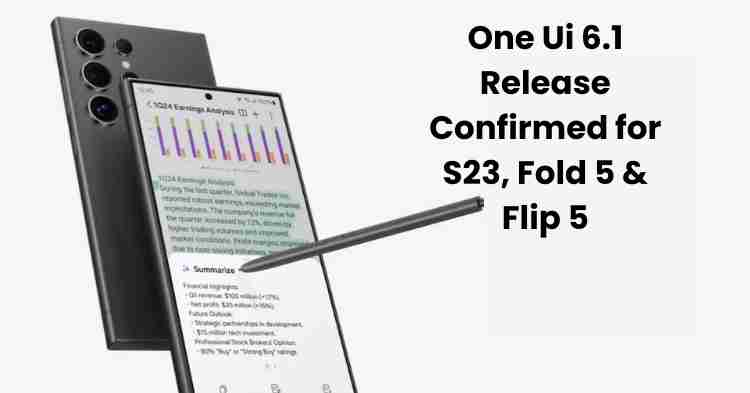
- Read more: Galaxy S23 and Z Fold/Flip 5 updates 15. Mid-April 2025
- May 2025: Galaxy A and Galaxy M series devices receive update.
- October 2023: Drop support for older flagship models and tablets in the final wave.
This will be rolling out based on region and carrier settings through OTA (Over-the-Air) updates.]
Steps to Be Prepared for One UI 7 on Your Device
Here is how to prepare yourself for a smooth transition before you upgrade:
- Backup Your Data
Backup your important files, settings and apps with Samsung Cloud or Google Drive.
- Check Storage Space
Ensure you have 10GB of free space on your device and download the update.
- Update Your Apps
So head on over to the Galaxy Store and Google Play Store to update all apps for One UI 7 compatibility.
- Charge Your Device
Before you begin the update process, make sure your phone has at least 50 percent battery left.
Final Thoughts: Should You Upgrade To One UI 7?
Samsung One UI 7 is turning out to be one of the biggest upgrades yet, with AI-powered optimizations, improved security and a whole new look. This update is definitely something you want to have if your device is supported in the Alpha test program; add better performance, security, and customization with it.
Stay tuned for more official announcements as well as hands-on with the product as we get closer to the April 7th rollout. Now Samsung consumers can enjoy a smatter and more intuitive smartphone experience!