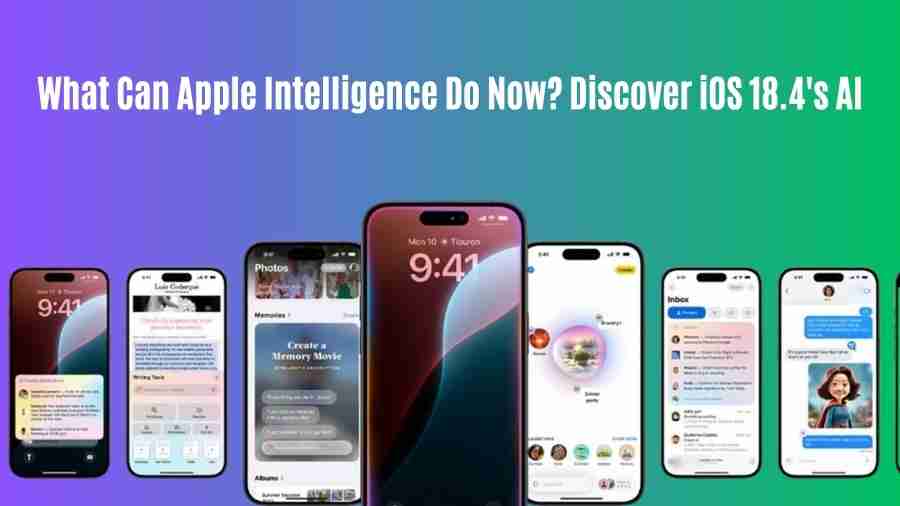
Apple Intelligence Matures: What the AI Powerhouse Can Do Now in iOS 18.4 (April 2025 Update)
Approximately one year since WWDC 2024 Apple Intelligence has transformed dramatically by transitioning from experimental beta features into an embedded AI system that enhances the Apple ecosystem. After the release of iOS 18.4 users who have compatible iPhones (and iPads with iPadOS 18.4) now access a set of genuinely helpful AI tools which are aware of context while respecting privacy standards.
Personal intelligence emerged as Apple’s initial announcement for Apple Intelligence by focusing on AI capabilities which comprehend users and their environments while performing local data processing whenever available through daily apps. Responsive to user feedback Apple introduced iOS 18.4 as a major advancement following the basic launch in late 2024 which showcases their dedication to developing functional AI systems.
This release stands to improve what was introduced in the previous year while it adds capabilities and strengthens understanding of spoken commands and makes interactions between all platform elements more unified and fast reacting. The capabilities of Apple Intelligence function under iOS 18.4 receive detailed explanation.
Table of Contents
The Evolution of Apple Intelligence: From WWDC ’24 to iOS 18.4
The journey to iOS 18.4’s sophisticated AI capabilities began with a clear vision: leverage the power of large language models (LLMs) and generative AI without compromising user privacy. Apple’s unique approach involves a hybrid model:
- On-Device Processing: Utilizing the Neural Engine in Apple Silicon (A17 Pro and M-series chips onwards), many AI tasks are handled directly on the iPhone, iPad, or Mac. IPhone and iPad tasks linking personal data automatically adopt this setup since it protects user information and functions swiftly.
- Private Cloud Compute: For more complex requests that require greater computational power, Apple Intelligence can tap into specialized servers running on Apple Silicon. The encrypted cloud data storage system of Apple ensures that users maintain privacy because Apple cannot access or store sent information without losing security measures. Third-party experts examined the server code through inspection procedures which established an additional verifiable statement of trust between users and the system.
When iOS 18 was released with its core features Writing Tools and Image Playground and improved Siri Beta functionality. Successive iOS releases starting with 18.1 and expanding through versions 18.2 and 18.3 added more languages while enhancing the accuracy of models and bringing added features to different applications and improving the interface for users.
The iOS version 18.4 presents itself as a stable release. Beta tags disappear completely from the interface while performance runs more smoothly and the AI integration feels native to the operating system design. Software under iOS 18.4 demonstrates better comprehension of user contexts and improved capabilities for linking apps with sophisticated responses.
All core Apple Intelligence capabilities achieve proficiency in iOS 18.4
The primary features of Apple Intelligence which were previously stated for 2024 launch have become fully functional throughout iOS 18.4.
Enhanced Writing Tools: Your Personal Editor Gets Smarter
The OS now leverages this initial helps tool to power vital writing assistance available everywhere. In iOS 18.4, the Writing Tools are more pervasive and powerful:
- Rewriting: Beyond simply rephrasing, the Rewriting tool now offers more distinct stylistic options (e.g., “more persuasive,” “more concise,” “add technical detail”) and demonstrates a better understanding of the original text’s intent. The tool functions within Mail, Notes, Pages, Messages and many other third-party applications that implemented the updated API where it operates without interruption.
- Proofreading: Grammar, word choice, and sentence structure checks are faster and more accurate. The update provides better capability to detect errors which previous versions were unable to detect. After its initial release the platform developed new language capabilities on a substantial scale.
- Summarization: This feature has seen substantial improvement. The updated system generates various summary lengths starting from multi-paragraph adaptations for extensive files as well as bullet-point outlines and one-sentence abstracts. iOS 18.4 provides users with more precise text core message extraction abilities compared to previous versions. Users regularly employ it to process extensive reports within Pages besides utilising it for meeting note summarization and email chain understanding in Mail.
Siri’s Transformation: Truly Conversational and Action-Oriented AI
The most prominent transformation has occurred to Siri during its time under Apple Intelligence. The problems associated with the previous Siri platform have almost completely vanished in today’s version. In iOS 18.4, Siri feels significantly more capable:
- Natural Language & Context: Siri understands conversational nuances, pronoun references (“remind me about it when I get home”), and follow-up questions much more reliably. It perpetuates dialogue elements through several exchanges in a way that surpassed original functionality. You will find that Siri maintains the conversation when you stammer while talking or making errors during your sentences.
- On-Screen Awareness: Siri now has a deeper understanding of what’s currently displayed on your screen. When you view a message you can ask Siri to add the person or you can request a webpage summary while looking at the page and the system will deduce the specific subject through screen content.
- App Actions: While present initially, the ability for Siri to perform complex actions within and across apps has expanded dramatically. Thanks to App Intents framework progress Siri has gained the ability to perform detailed workflow operations including photo searching for my Kyoto trip from spring 2021 selecting the temple photo which it will send as a text message to Mom along with text. The system performs this function through intent recognition as well as scanning content across Photos and Messages applications and running the specified operations. The availability of third-party app integration is extensively expanded in version 18.4.
- Personal Context Integration: Siri securely accesses information from your Mail, Messages, Calendar, Notes, Photos, and more (with your permission) to answer context-specific questions like, “When is Mom’s flight landing?” The project meeting notes from Tuesday contain the main points discussed during session.
Image Playground & Genmoji: Creativity Unleashed and Refined
Visual creation tools powered by Apple Intelligence have also matured:
- Image Playground: Available as a standalone app and integrated into Messages, Notes, Keynote, Freeform, and Pages, Image Playground allows users to create fun images in styles like Animation, Sketch, and Illustration. iOS 18.4 brings noticeable improvements:
- Enhanced Prompt Understanding: It’s better at interpreting complex or nuanced text descriptions.
- Improved Detail & Cohesion: Generated images often have finer details and more consistent compositions.
- New Styles (Speculative): While not confirmed for every user yet, testing suggests Apple may be experimenting with additional styles like ‘Photorealistic (Simplified)’ or ‘Watercolor’ accessible via specific prompts in 18.4.
- Concept Association: It can incorporate people from your photo library into generated images (e.g., “Create a sketch of Sarah hiking in the mountains”).
- Genmoji: Creating custom emoji-like reactions based on text descriptions is smoother and faster. Genmoji creation benefits from AI processing because it delivers more appropriate and expressive digital reactions. Users can easily send these reactions among Messages applications as well as other communication platforms.
Intelligent Notifications and Summaries: Cutting Through the Clutter
Information overload is a constant battle, and Apple Intelligence in iOS 18.4 offers more refined tools to manage it:
- Priority Notifications: This feature has learned user patterns better over time. Noteworthy notifications determined through evaluation of senders and content analysis together with app usage recognition reliably appear first at the notification bar. The “Reduce Interruptions” focus mode contained in iOS 18.4 depends significantly on priority notification management.
- Message Thread Summaries: Get a quick digest of long group chats in Messages without scrolling endlessly. The summarization quality now produces accurate summaries of essential decisions or questions.
- Web Page & Document Summaries: As mentioned with Writing Tools, the ability to quickly summarize content directly within Safari, Notes, or Pages saves significant time.
Smarter Photos: Beyond Simple Edits
The Photos app benefits significantly from the matured Apple Intelligence:
- Natural Language Search: Searching your photo library using descriptive language is much more powerful. Users experience outstanding response quality through their demands for “Maya wearing her blue beach hat pictures from last summer” which illustrates both object identification and person recognition together with scene recognition alongside temporal understanding.
- Clean Up Tool: The AI-powered object removal tool is more precise. More advanced object detection together with better background filling enables this updated version to handle sophisticated situations better than the beginning version.
- Memory Movie Creation: Creating Memory Movies is more intuitive. Through a brief text directive you can ask Apple Intelligence to construct entertaining Italy movie content which emphasises food and historical landmarks.
New Frontiers for Apple Intelligence in iOS 18.4 (Refinements & Deeper Integration)
Beyond polishing the core features, iOS 18.4 shows signs of Apple pushing the boundaries further, often through subtle but impactful integrations:
Deeper Third-Party App Integration
Apple Intelligence achieves its maximum potential by coordinating intelligence functions within the suite of most frequently used applications. More developers across the iOS platform integrated Apple Intelligence APIs during the release of iOS 18.4. This means:
- Siri gives users the ability to complete tasks in various non-Apple applications through commands like “Book a table for two at [Restaurant Name] for 7 PM tonight using [Booking App].
- Users can access the system-wide Writing Tools (Rewrite, Proofread, Summarise) through many text fields in additional iOS apps.
- The Image Playground tool could potentially become available within creative and social media applications to let users generate images without interruptions.
More Proactive and Contextual Assistance
While Apple remains cautious about overly intrusive AI, iOS 18.4 demonstrates more sophisticated proactive assistance based on learned patterns and context:
- Smarter Suggestions: Siri Suggestions are more relevant, perhaps offering to start a workout playlist when you arrive at the gym, reminding you of a task mentioned in an email just before a related meeting, or suggesting directions based on a calendar event and current traffic.
- Cross-App Awareness: The AI seems better at connecting dots – for example, understanding that an address mentioned in an email relates to a calendar appointment later that day and proactively offering travel time information.
Optimizations for On-Device Performance
Each update of iOS and its AI models generates performance improvements from Apple. Private Cloud Compute-based tasks which prior versions needed can execute fully or partially on hardware released after the introduction of A17 Pro/M1 devices. The updated AI system provides increased speed combined with improved privacy when handling typical AI service requests.
The Technology Behind the Magic: On-Device vs. Private Cloud Compute
The company maintains a significant emphasis on privacy when it implements Artificial Intelligence systems. The determination of whether a task runs on-device or uses Private Cloud Compute is based on factors like:
- Complexity: Simple tasks like summarizing a short note or proofreading a sentence run on-device. Complex image generation along with the summary of extensive documents needs cloud processing capabilities.
- Personal Data Access: If a request requires access to sensitive personal data (your emails, messages, photos, calendar), Apple Intelligence prioritizes processing it directly on your device.
- Model Requirements: Some advanced AI models simply require more processing power than currently available on mobile chips.
The combination of offline and online processing backed by substantial security measures provides Apple with a vital distinguishing capability in AI markets during April 2025. Hardware specifications play a vital role in Apple Intelligence functionality because Apple Intelligence utilises either iPhone 15 Pro or Pro Max (A17 Pro) models which are recent designs or M1 powered iPads and Mac devices introduced after the M1 release.
How Apple Intelligence in iOS 18.4 Stacks Up (April 2025 Perspective)
Compared to competitors like Google’s Gemini integration in Android or Microsoft’s Copilot across its services, Apple Intelligence in iOS 18.4 holds its own, excelling in specific areas:
- Seamless Integration: Its deep integration into the OS and core apps feels more natural and less bolted-on than some competing solutions.
- Privacy Focus: The on-device processing default and Private Cloud Compute architecture offer strong privacy assurances that resonate with many users.
- Personal Context: Its ability to leverage on-device data for personalized results (without exposing that data) provides genuinely helpful context-aware assistance.
- Ecosystem Cohesion: Features work consistently across iPhone, iPad, and Mac, creating a unified experience.
Within the Apple ecosystem the practical and private personal intelligence provided by the company creates effective day-to-day utility despite competitive systems that provide more raw processing or broader bot capacities.
Users can initiate Apple Intelligence functions on iOS 18.4 through the following steps
If you have a compatible device running iOS 18.4:
- Ensure it’s Enabled: Apple Intelligence features are typically opt-in initially or may require specific settings toggles. The Apple Intelligence status can be located under Settings > Siri & Search > Apple Intelligence.
- Explore Core Apps: Start using the features naturally within Mail, Messages, Notes, Photos, Safari, Pages, Keynote, and Freeform. The icon with a sparkle symbol identifies AI components in the system.
- Talk to Siri: Try more complex, conversational requests. You can request help from Siri both about content displayed on screen and for executing operations between different applications.
- Experiment: Use Image Playground and Genmoji, try summarizing long texts, and utilize the Rewriting tools to get a feel for their capabilities.
The Future is Intelligent: What’s Next After iOS 18.4?
As Apple continues toward its vision Apple Intelligence has reached an advanced stage in iOS 18.4 although the company shows no signs of slowing down. Looking ahead, we can anticipate:
- More Proactive Intelligence: AI that anticipates needs even more effectively.
- Deeper Multimodal Understanding: AI that can reason fluidly across text, images, audio, and potentially video.
- Enhanced Reasoning: More complex problem-solving and planning capabilities.
- Broader Hardware Support Potentially: Future optimizations might bring certain features to slightly older hardware, though high-end processing will likely remain key.
- Integration with New Form Factors: Deeper ties into visionOS and whatever comes next.
Most of the features promised through 2024 are present in the Apple Intelligence capabilities introduced with iOS 18.4. Apple devices function with extraordinary power and personalization because of this privacy-protecting suite of AI tools. Users are exploring the system’s features which are making iOS functionality more essential by the day.